For IMGs and U.S. medical students applying through ERAS, every piece of your application carries weight — including your photo.
Table of Contents
Your ERAS photo won’t make or break your Match outcome. But a poorly formatted or unprofessional image can create a bad first impression before anyone reads your personal statement. And frustratingly, many applicants hit avoidable upload errors simply because they didn’t check the technical specs ahead of time.
This guide covers the current ERAS photo requirements, what mistakes to watch out for, and the fastest way to prep a compliant photo.
What Is the ERAS Photo?
The ERAS photo is a professional headshot submitted alongside your residency or fellowship application. Programs use it in a few practical ways:
- Identifying applicants during interview season
- Verifying identity
- Building interview schedules and faculty review materials
Think physician headshot, not LinkedIn selfie.
ERAS Photo Requirements for the 2026 Match
Here are the technical specs your image needs to meet:
| Requirement | Specification |
|---|---|
| File Format | JPG / JPEG |
| Maximum File Size | 150 KB |
| Dimensions | 2.5 inches × 3.5 inches |
| Resolution | 150 DPI |
| Color Mode | Color |
| Orientation | Portrait |
| Background | Professional, neutral preferred |
Miss any of these and you risk upload errors or a degraded image on the other end.
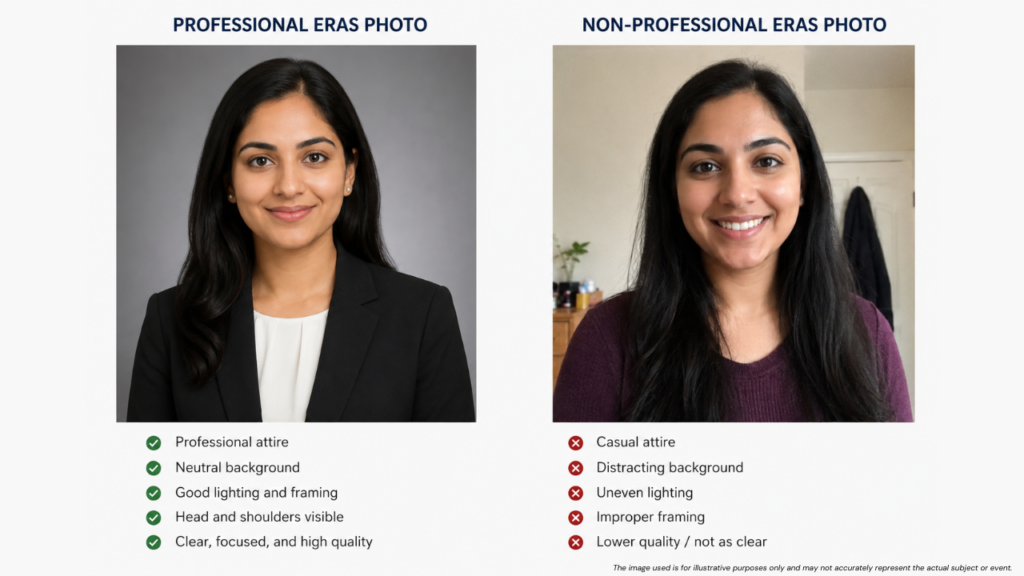
Why the Formatting Requirements Actually Matter
It’s easy to brush past the specs when you’re juggling personal statements, LOR requests, and Step score submissions. But photo formatting issues are one of the more common last-minute headaches during ERAS season.
Typical problems applicants run into:
- File size over the 150 KB limit
- Wrong aspect ratio or dimensions
- Distorted or blurry image after manual resizing
- Face cropped awkwardly
None of these are hard to fix in advance. They’re just annoying to discover at 11pm on submission day.
What Makes a Good ERAS Photo?
ERAS doesn’t specify attire or pose. But programs generally expect something that looks like it belongs on a hospital staff page, not a social media profile.
Attire
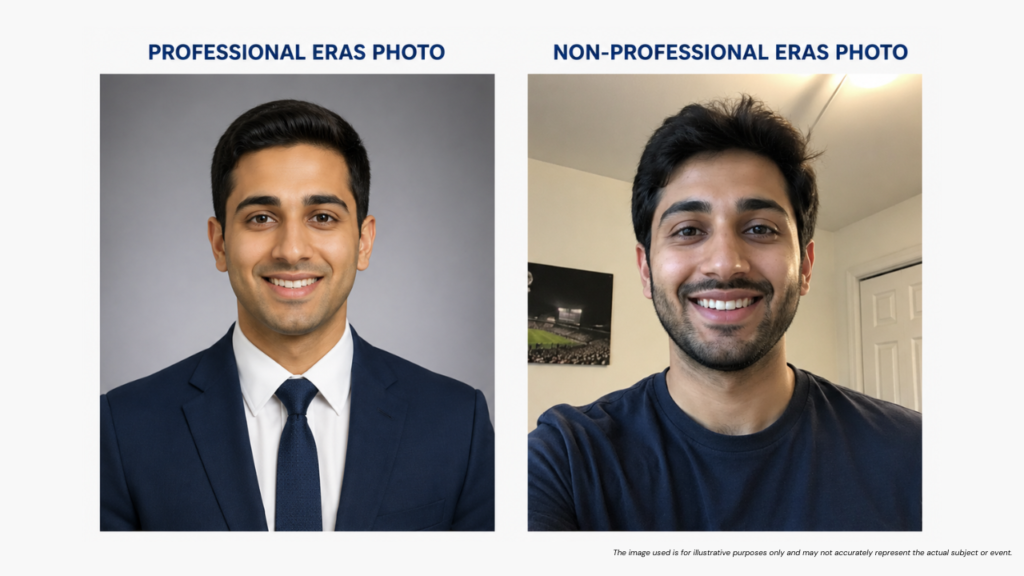
Men:
- Suit jacket
- Dress shirt
- Conservative tie (optional)
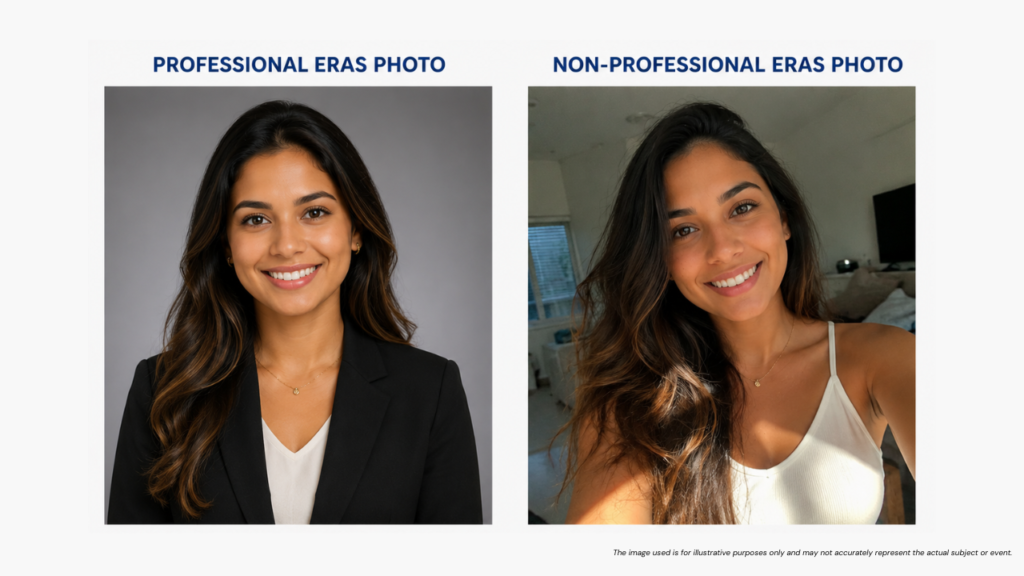
Women:
- Business attire
- Blazer or formal top
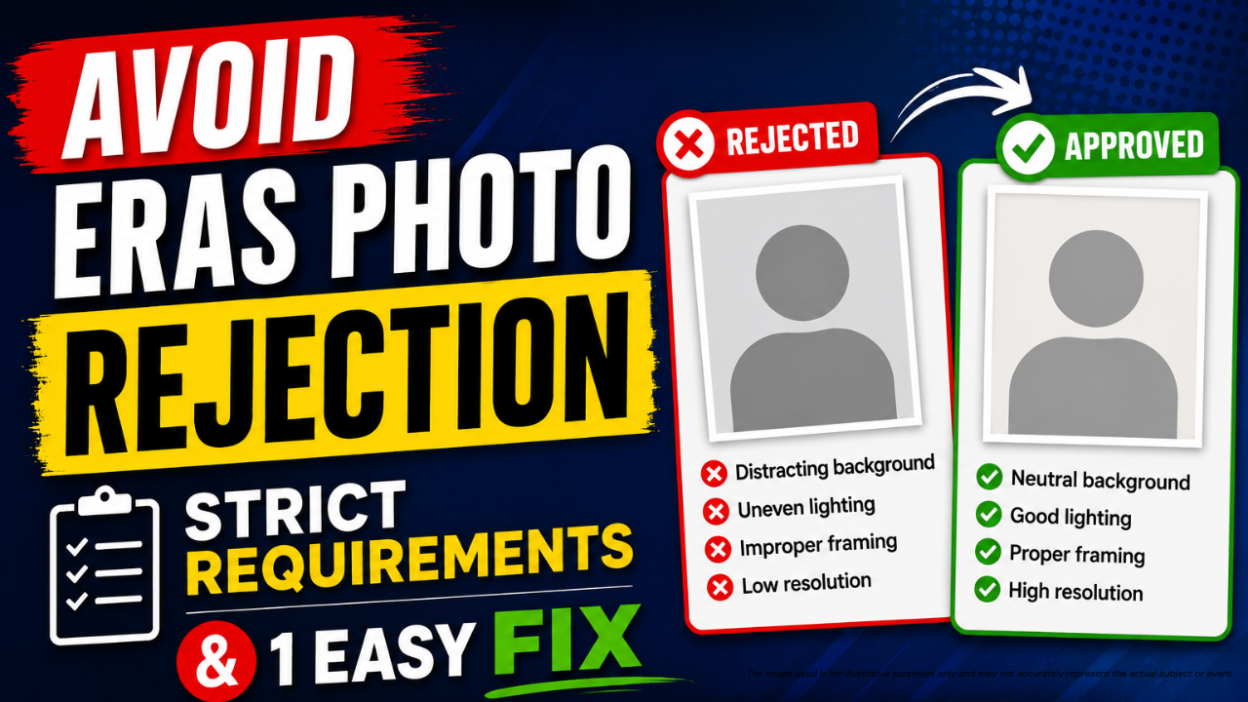
Background
Go with:
- White
- Light gray
- Neutral studio background
Skip:
- Busy backgrounds
- Outdoor shots
- Home settings
Expression
- Natural smile
- Direct eye contact
- No filters, no heavy editing
Keep it simple. Programs are looking at dozens of applicants — you want to look professional and approachable, not like you put a Nashville filter on your graduation photo.
Common ERAS Photo Mistakes
- Using a passport photo. Passport photos tend to be tightly cropped and can look stiff. A dedicated professional headshot almost always presents better in the ERAS application.
- Pulling a photo from social media. Images from Instagram, Facebook, or similar platforms rarely meet ERAS requirements. Even when they technically pass, they often do not appear professional enough for residency applications.
- Uploading a file that is too large. Professional camera images frequently exceed the ERAS file size limit. This remains one of the most common photo upload issues.
- Bad manual resizing. Random online compression tools can blur, distort, or reduce image quality. The file may meet the technical requirements, but the final result often looks unprofessional.
- Waiting until submission day. Many applicants leave their ERAS photo until the last minute. This increases the risk of upload errors, formatting problems, and unnecessary stress during application submission.
How to Resize Your ERAS Photo Correctly
The steps themselves aren’t complicated:
Step 1 — Upload your professional headshot.
Step 2 — Resize to match ERAS dimensions.
Step 3 — Compress file size below 150 KB.
Step 4 — Export as JPEG.
Step 5 — Check image quality before uploading.
The issue is doing this manually, especially if you’re not comfortable in Photoshop or Lightroom. Generic compression tools don’t know ERAS specs and often over-compress the image to hit the size target.
The Easiest Way to Resize an ERAS Photo
Medvily’s ERAS Photo Resizer handles all of this automatically. It’s built specifically for residency applicants rather than being a general-purpose image editor.
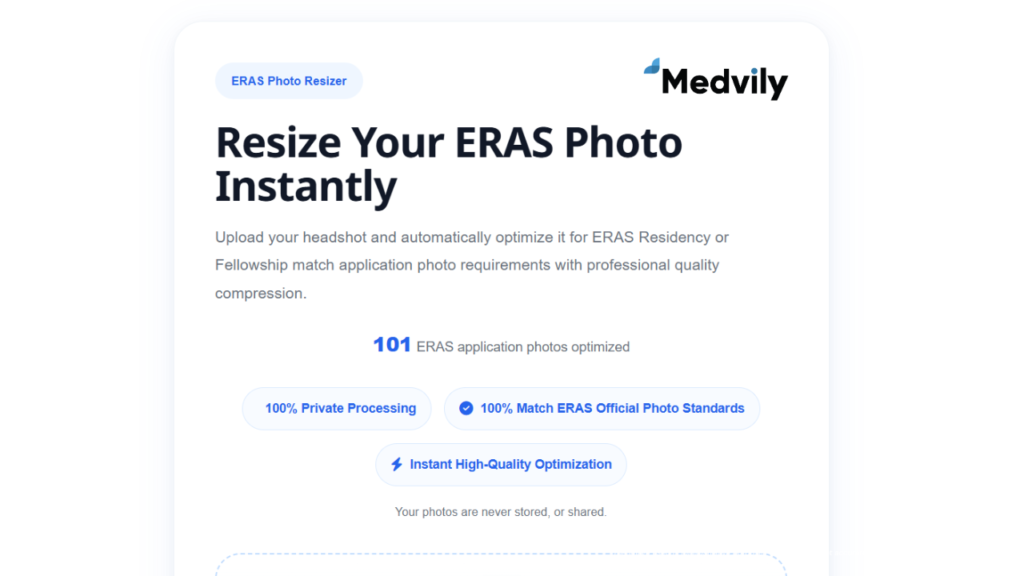
What it does:
- Adjusts dimensions and aspect ratio to ERAS specs
- Optimizes file size to stay under the 150 KB limit
- Maintains image quality in the process
- Exports as JPEG
Why it’s worth using:
- No Photoshop needed
- No account creation or subscription
- Takes a few minutes, not a few hours
During ERAS season, you’re managing enough — a dedicated tool just removes one more thing from the list.
A Note for IMGs
IMGs often compete in highly competitive specialties. The application package as a whole matters. Your USMLE scores, clinical experience, research, and letters carry the most weigh, but a professional photo is part of presenting yourself seriously as a residency candidate.
It’s a small thing. It’s also a quick thing to get right.
Where You Can Get Professional ERAS Headshots
If you need a professional photo for your ERAS application, you do not necessarily have to hire an independent photographer. Several nationwide photography chains offer portrait and business headshot services across the United States, making them convenient options for medical students and IMGs.
CVS Photo Centers
Many CVS locations provide passport and identification photo services. While these photos are primarily intended for official documents, some applicants use them as a budget-friendly starting point for ERAS photos. Be sure to ask for a digital copy and verify that the final image looks professional and well-lit.
Walgreens Photo
Walgreens stores nationwide offer passport photo services and digital photo options. With thousands of locations across the U.S., Walgreens can be a convenient choice for applicants who need a quick professional-style image.
JCPenney Portraits
JCPenney Portraits operates studios in many states and offers professional portrait sessions. Their business headshot packages are often suitable for residency applications and generally provide higher-quality results than standard passport photos.
Picture People
Picture People studios are located in shopping malls throughout the United States. Although they primarily focus on family and portrait photography, many locations offer professional headshots that can work well for ERAS applications.
FedEx Office
Some FedEx Office locations offer passport photos and digital imaging services. While not a dedicated headshot studio, FedEx can be a convenient option if you need a professionally captured digital image.
Which Option Is Best for Residency Applicants?
For the most professional result, a dedicated headshot photographer or JCPenney Portraits is usually preferable to a passport photo center. However, regardless of where your photo is taken, you must ensure it meets ERAS technical requirements before uploading.
After receiving your image, use Medvily’s ERAS Photo Resizer to automatically adjust dimensions, aspect ratio, and file size so your photo is ready for ERAS submission.
ERAS Photo Checklist
Before uploading, confirm:
✅ JPEG format
✅ Professional headshot
✅ Correct dimensions (2.5 × 3.5 inches)
✅ Proper aspect ratio
✅ High image quality
✅ Under 150 KB
✅ Neutral background
✅ Professional attire
✅ Recent photograph
Frequently Asked Questions
What size should an ERAS photo be?
ERAS photos must be uploaded as JPEG files at 2.5 × 3.5 inches, 150 DPI, and under 150 KB.
Can I use a passport photo for ERAS?
Technically yes, but a professional headshot looks better and is usually worth the extra effort.
What happens if my ERAS photo is too large?
The system may reject the upload, or it may auto-compress the image and hurt quality.
Can I edit my ERAS photo after submission?
Photo changes may be limited after applications are submitted. Check current ERAS policies directly to confirm.
What’s the easiest way to resize an ERAS photo?
A dedicated tool like Medvily’s ERAS Photo Resizer is the most straightforward option — it handles dimensions, file size, and export format automatically.
Final Thoughts
Your ERAS photo is a small part of a large application. Most programs won’t spend more than a few seconds on it. But a blurry, incorrectly formatted, or clearly unprofessional image does leave an impression, and it’s an easy problem to avoid.
Get the headshot taken professionally if possible, then run it through a tool like Medvily’s ERAS Photo Resizer to handle the technical side. Done in under 2 minutes, and you won’t have to think about it again.
Medvily ERAS Photo Resizer: https://medvily.com/eras-photo-resizer/
Planning your residency budget? Check out Medvily’s ERAS Fee Calculator to estimate your total application costs.

Ready to Apply? Let Medvily Guide You!
Medvily offers a complete suite of services including:
- Tutoring / Mentoring
- Clinical Electives
- Observerships & Externships
- Clinical Research
- Residency Application Support
- Mock Interviews & IV Prep
- Medical Licensing Support
Disclaimer: All trademarks referenced herein are the property of their respective owners. Medvily disclaims any affiliation, sponsorship, or endorsement by such trademark owners or their affiliated companies. The information provided is for general informational purposes only.