
USMLE new interactive testing tools are now live for Step 1 & Step 2 CK. Learn what’s changed, why it matters, and how to prep before May 2026.
Updated March 25, 2026
Table of Contents
Intro
The USMLE new interactive testing tools are now live, and if your exam falls after May 2026, understanding what these tools are and how to use them is no longer optional prep advice. It’s a basic requirement.
The USMLE program released these tools ahead of a software transition rolling out across both exams in the coming months. Step 2 CK moves to the new platform on May 7, 2026. Step 1 follows on May 14. What’s been released isn’t a preview or a rough demo, it’s a functional simulation of the exact delivery environment you’ll sit in on exam day. The interface, the navigation logic, the block structure, all of it is replicated in these tools before you ever step into the test center.
If you’re testing after those dates and haven’t opened these tools yet, that’s the first thing to fix.
What the USMLE New Interactive Testing Tools Actually Are
There’s a tendency to treat official prep tools as optional extras, things you glance at once and set aside in favor of question banks and review books. These tools are different, and treating them the same way is a mistake.
The USMLE new interactive testing tools are web-based simulations built to mirror the updated test delivery software going live in May 2026. They’re available now for both Step 1 and Step 2 CK through the official USMLE exam resources page. They’re free. And critically, they’re differentiated by exam, the USMLE has explicitly stated that candidates should use the tutorial version that matches their specific test date.
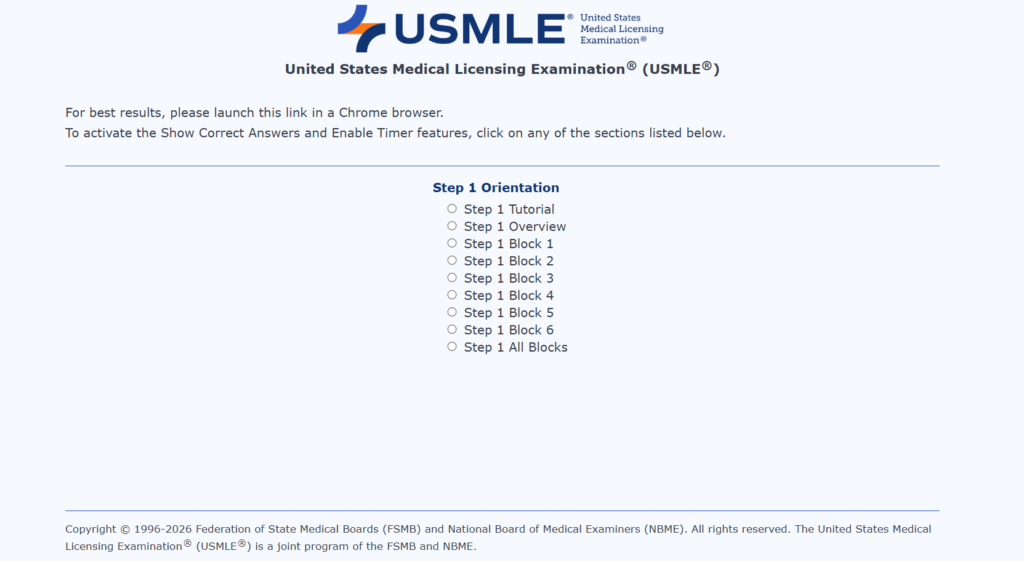
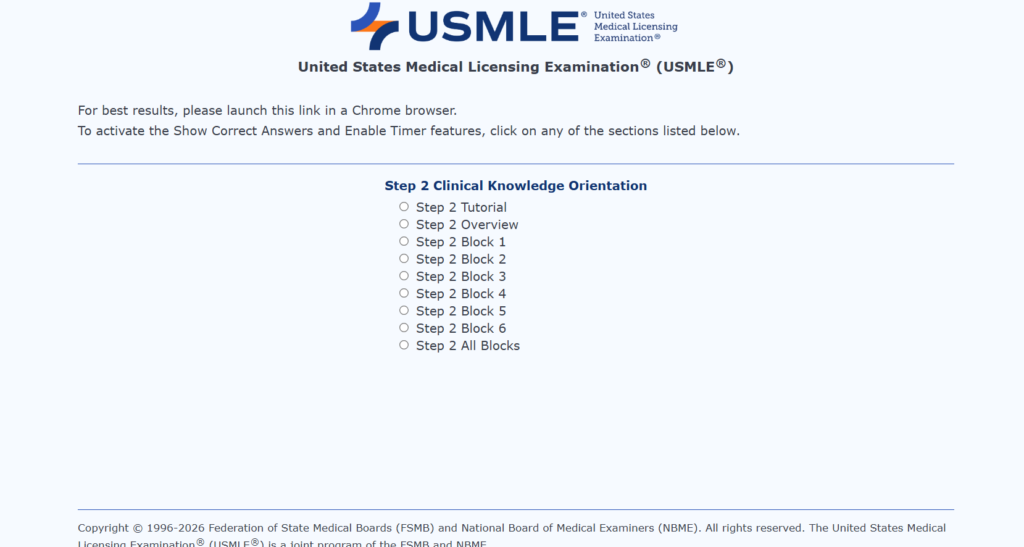
That last detail matters more than it sounds. Using the wrong version, or skipping the tools entirely, means you’re walking into an updated interface without having seen it. That’s not a small gap to bridge on exam day.
Think of it this way: you wouldn’t show up to run a race on a course you’d never seen the layout of, especially when the map was available and free. These tools are the map.
Why the Software Transition Is Happening
The NBME has been working to standardize its exam delivery infrastructure across its assessments for several years. The 2026 update brings USMLE Step 1 and Step 2 CK in line with that broader platform, creating a consistent testing environment across NBME exams.
From a candidate’s perspective, the practical consequence is this: older practice materials, older tutorials, and most prep resources currently available were built around the previous interface. If your exam is after May 2026, you’re preparing for a different system than the one documented in the majority of resources you’re using.
That gap is real. The interactive tools are the only resource built specifically to address it.
What’s Actually Changed in the Exam Format
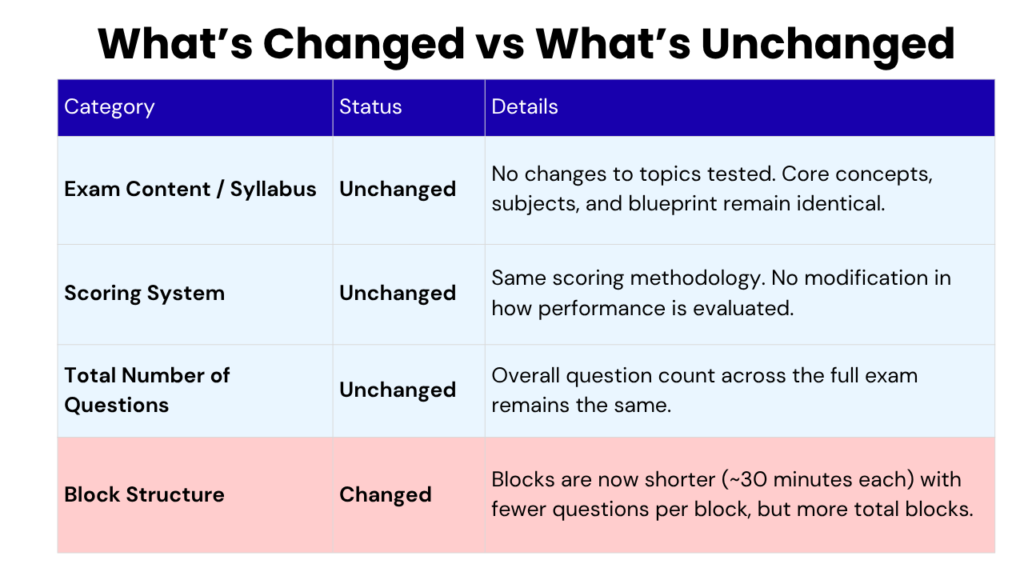
Let’s be direct about what has and hasn’t changed, because there’s been confusion on this.
The exam content is unchanged. Same syllabus, same scoring system, same total number of questions across the full exam. Nothing about what you need to know has shifted.
What has changed is the block structure. Blocks are now shorter — 30 minutes each, with fewer questions per block, but there are more blocks total. On paper that sounds neutral. In practice, it’s a meaningfully different testing experience.
Shorter blocks mean you reset your pacing more frequently. You lose the rhythm of a long sustained block and have to rebuild momentum in a new one. You face more transition moments between blocks, those brief windows where decisions about breaks and timing carry real weight. Candidates who’ve trained almost entirely under the older longer-block format, may feel the shorter format disorienting. It’s not an intelligence problem. It’s an adaptation problem.
That adaptation is exactly what the new interactive tools are built to facilitate.
What the Tools Cover in Practice
The USMLE new interactive testing tools aren’t a single walkthrough video. They’re a functional simulation environment covering several distinct areas.
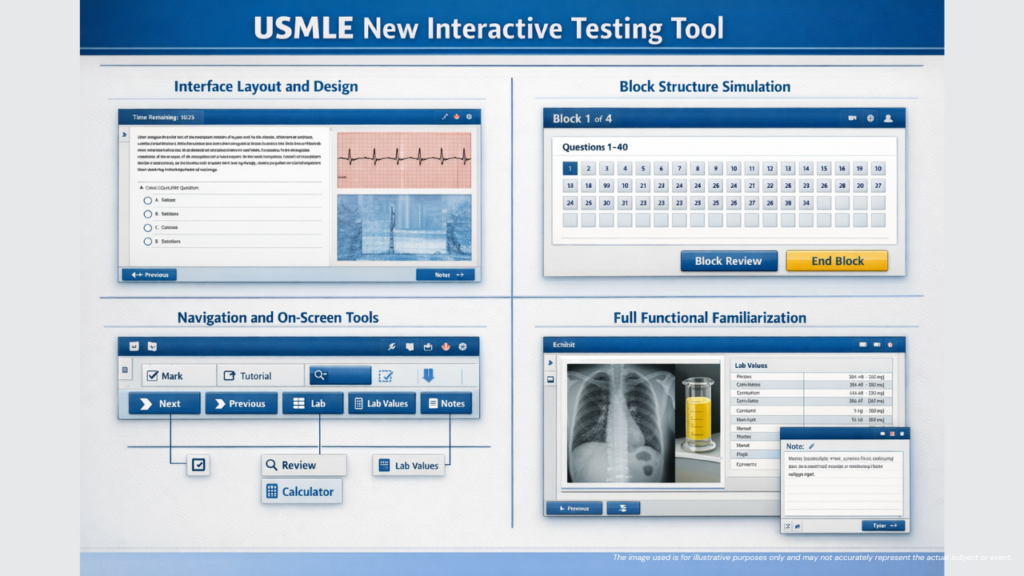
- Interface layout and design. The new platform aligns with how NBME structures other standardized assessments, which means candidates familiar with NBME practice materials will recognize some of the logic. But familiar-in-style and identical-to-what-you’ve-practiced are two different things. The tools give you the actual layout, button placement, screen organization, the visual structure you’ll navigate on exam day.
- Block structure simulation. You can run through the updated format in real time, shorter blocks, adjusted question counts per block, the pacing of transitions between blocks. Reading that blocks are now 30 minutes long is one thing. Sitting through a timed 30-minute block and feeling how it flows is another. The tools make the second possible before exam day.
- Navigation and on-screen tools. Moving between questions, flagging items for review, adjusting display settings, using on-screen tools without breaking reading pace, all of this is available in the simulation. It sounds mundane. It becomes relevant the moment you’re under pressure and your hands go somewhere the button isn’t anymore.
- Full functional familiarization. How the software loads, how it responds to inputs, how display settings work in practice, the goal is to reach a point where none of this is something you think about on exam day. The interface should be invisible. The tools are how you make it invisible.
The Interface Friction Problem Nobody Talks About
Here’s something that doesn’t get said enough in USMLE prep circles: interface friction is a real performance variable.
Candidates spend months building content knowledge. They do thousands of practice questions. They refine their approach to clinical reasoning, pharmacology, pathophysiology. They develop timing strategies down to the minute. Then they sit down in front of an unfamiliar interface and spend the first block slightly off-balance, not struggling, not panicking, just slightly unsettled in a way that costs them five seconds here, ten seconds there.
That friction doesn’t announce itself. It doesn’t feel catastrophic in the moment. But it accumulates across a full exam day in ways that are genuinely difficult to recover from.
The USMLE releasing these tools is, in part, an acknowledgment of this problem. The program is telling candidates: the interface is something you need to prepare for, and here is how to do that. Ignoring that signal because you’re confident in your content knowledge is a preparation gap.
How to Build These Tools Into Your Study Plan
The worst way to use the USMLE new interactive testing tools is to open them once the night before your exam. That approach gives you awareness of the interface, not familiarity with it. Those are different things.
The most effective approach is early integration. Once you’re running timed practice blocks regularly, which for most candidates happens several weeks into dedicated prep, start doing some of those sessions inside the new interface. Don’t just use it as a warm-up. Use it the way you’d use any timed practice tool: with real conditions, real pacing, real attention to how the blocks feel.
Specific things worth focusing on during those sessions:
The 30-minute block structure. Run full blocks under time pressure. Not to test your content knowledge, you have question banks for that, but to get your pacing calibrated to the new format. Where do you feel rushed? Where do you have margin? Figure that out before exam day.
On-screen tool use. Get to a point where using the available tools doesn’t interrupt your reading flow. This takes repetition, not intelligence. Just repetition.
The transition between blocks. How you use the time between blocks — whether you take a break, how you reset mentally, how long you let yourself decompress, is worth deciding deliberately rather than improvising. Run through a few full multi-block sessions to figure out what your between-block routine actually is.
Who This Applies To
If your exam date falls before May 7 (Step 2 CK) or May 14 (Step 1), the existing software applies to your exam. You can still explore the new tools out of curiosity, but your prep doesn’t depend on them.
If your exam falls after those dates, the new platform is your exam environment. Not a version of it. The actual environment. The USMLE new interactive testing tools are the only preparation resource built specifically for that environment. They should be part of your plan, not an afterthought.
FAQs on USMLE New Interactive Testing Tools
What are the USMLE new interactive testing tools?
They are web-based simulations released by the USMLE program that replicate the updated test delivery software going live in May 2026. They’re free, available now, and built specifically for Step 1 and Step 2 CK candidates testing after the transition dates.
Where can I access the USMLE new interactive testing tools?
They’re available through the official USMLE exam resources page. No special registration is required, you can access them directly and start practicing the new interface right away. Check out the links we have included at the beginning of the blog.
Has the exam content changed along with the interface?
No. The syllabus, scoring system, and total question count remain exactly the same. What changed is the block structure and the software environment you’ll use to navigate the exam, not what the exam tests.
What is different about the new block structure?
Blocks are now 30 minutes long with fewer questions per block, but there are more blocks overall. It’s a different pacing rhythm than the older format, and candidates who haven’t practiced under it often find the adjustment harder than expected.
What happens if I skip the interactive tools and just rely on my question bank?
Your question bank prepares you for the content. It doesn’t prepare you for the interface. Candidates who walk into the new software cold risk losing time early in the exam just orienting themselves — and in a timed, high-stakes test, that’s a gap worth closing before exam day.
Final Note
The May 2026 transition is close, and the candidates who handle it smoothest won’t be the ones who studied the hardest, they’ll be the ones who prepared completely. Content knowledge gets you to the door. Interface fluency gets you through it. The USMLE new interactive testing tools are already available, they’re free, and they exist for one reason: to make sure the software isn’t what slows you down on exam day. Open them now, build them into your timed practice sessions, and walk in knowing exactly what to expect. That’s one less variable between you and the score you’ve been working toward.
Check out USMLE Step 3 Software Updated (March 2026): New Exam Interface
Also feel free to check our USMLE Cost Calculator & YOG Risk Calculator

Ready to Apply? Let Medvily Guide You!
Medvily offers a complete suite of services including:
- Tutoring / Mentoring
- Clinical Electives
- Observerships & Externships
- Clinical Research
- Residency Application Support
- Mock Interviews & IV Prep
- Medical Licensing Support
Disclaimer: All trademarks referenced herein are the property of their respective owners. Medvily disclaims any affiliation, sponsorship, or endorsement by such trademark owners or their affiliated companies. The information provided is for general informational purposes only.